Showing posts with label OIDC token. Show all posts

Tuesday, 2 January 2024

Just Ping someone!

- or a component for Ping Identity's authentication within your Delphi application.


It has often been the rule that native applications either authenticate the user by current OS user or by an application-centric user and role model - but that might for multiple reasons not be good enough anymore.

The old AD or LDAP lookups are being replaced by cloud IAM platforms, to control and secure the authentication of the identity of the user.

After the user is authenticated (and is authorised "access" your application), the application-centric roles flow can continue as-is.

One of these IAM cloud provides is PingIdentity, and they have a fairly extensive Postman collection for their PingOne Platform API - found here. Their developer documentation is also very useful - found here.

I have previously used various ways against various providers, but it seemed that when testing against PingOne with MFA enabled (Multi-Factor Authentication - which might include the annoying phone thing - that everyone uses) - I was hit by either a CORS issue or something else.

When using an OAuth2/OpenID Connect authentication, it does require that you setup and use a redirect uri, to tell the provider who is locally listening/waiting for the "response".

The idea with this type of authentication, is that the flow is handled securely within a web browser session, and the client does at no point in time know the login credentials - only when the user is authenticated do we need an "id token". So no "local" storage/handling of "passwords".

The listener part and possible timeouts has always annoyed me, so it seemed based on the flow, that I could handle it differently by just intercepting the local redirect call with the auth code - when the user is authenticated on the PingOne side - to get the id token needed.

Implementation

The TPingOneAuth component is a descendant of standard TWebBrowser overriding the IDocHostUIHandler interface, and adding a some properties.

The GetHostInfo override is to ensure that all redirects in the browser component is triggering the OnBeforeNavigate2 event - which then on the redirect auth code call, will get the wanted id token.

function TPingOneAuth.GetHostInfo(var pInfo: TDocHostUIInfo): HRESULT;
begin
  pInfo.cbSize := SizeOf(pInfo);
  pInfo.dwFlags := 0;
  pInfo.dwFlags := pInfo.dwFlags or DOCHOSTUIFLAG_NO3DBORDER;
  pInfo.dwFlags := pInfo.dwFlags or DOCHOSTUIFLAG_THEME;
  pInfo.dwFlags := pInfo.dwFlags or DOCHOSTUIFLAG_ENABLE_REDIRECT_NOTIFICATION;
  Result := S_OK;
end;

The id token is then parsed using Pablo Rossi's brilliant JOSE and JWT library, that might as well have been done using a call to one of the PingOne's Token Introspection endpoints.

Since we do need an user id - the OpenID Connect scope must include profile also.

To parse the custom claim a custom TJWTClaims class is added, containing the profile claims we want to read.

TPingOneClaims = class(TJWTClaims)
// Adding some given by the OpenID Connect scope: profile
private
  function GetPreferredUsername: string;
  procedure SetPreferredUsername(const Value: string);
  function GetGivenName: string;
  procedure SetGivenName(const Value: string);
  function GetFamilyName: string;
  procedure SetFamilyName(const Value: string);
public
  property PreferredUsername: string read GetPreferredUsername write SetPreferredUsername;
  property GivenName: string read GetGivenName write SetGivenName;
  property FamilyName: string read GetFamilyName write SetFamilyName;
end;


Usage

Install the TPingOneAuth component in the Delphi IDE, and set the library path - business as usual.

There is a small sample application in the GitHub repo, but steps are at follows:

Drop or Create the TPingOneAuth on a form, setting following properties:

  • AuthEndpoint: /as/authorize
  • AuthPath: https://auth.pingone.eu/
  • ClientId:
  • ClientSecret:
  • EnvironmentId:
  • RedirectUri:
  • ResponseType: code
  • Scope: openid profile
  • TokenEndpoint: /as/token
All these values are found in the PingOne console, under the application you setup as a "authorization" reference to your native Delphi application.


Add code to the OnAuthenticated (and OnDenied) event(s) - were on a successful authentication the public properties UserId and GreetName can be useful.

To start the authentication just call the Authorize method - and with MFA enabled, you will see the prompt bellow, once you initially have given your credentials.


After finding your phone, and having swiped to authenticate in the PingOne mobile companion app, the OnAuthenticated event is called.


The code for the component and the sample is found here.

A thing to note:

When having MFA enabled - and you need to pair a device the first time around - the url Ping provides does contain some "strict mode" Javascript that IE will prompt you about twice, the solution to this is to set the SelectedEngine property to EdgeIfAvailable or EdgeOnly and deploy the EdgeView2 Runtime (WebView2Loader.dll) which can be found in GetIt as the EdgeView2 SDK.

/Enjoy


Saturday, 18 February 2023

IAP Client, therefore IAM

- or creating a simple Google IAP client using JOSE and a service account key file.


Google offers a massive amount of services and APIs to these, and I doubt anyone has the full overview unless they are in that domain naming space 24/7, and the same would be true for Amazon, Microsoft and other offerings.

In this example, I am using Googles IAP (Identity-Aware Proxy) to get an OIDC token that can be used to authorise the requests sent by a service account.

And a disclaimer: This is a conceptual example, for more secure and correct use one should not store any form of keys - so for that look into something like Workforce identity federation - which gives the same short-lived OIDC tokens, with the help of an identity provider. But for the purpose of the example - less is more.

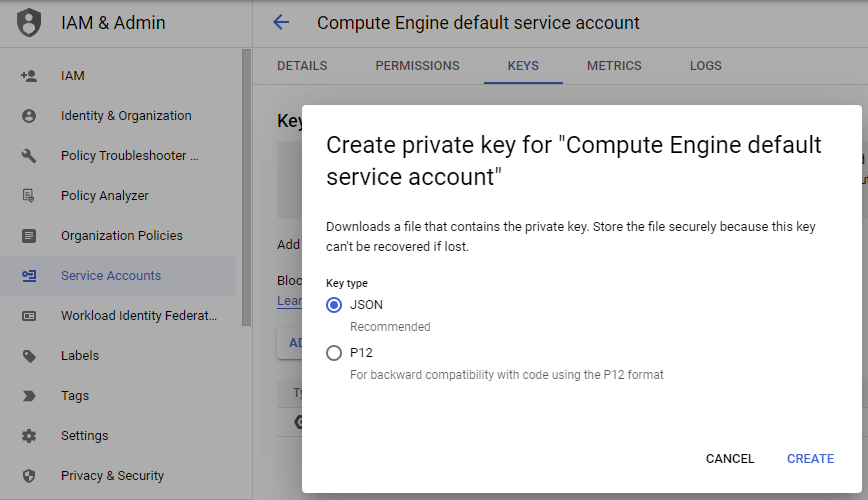
First you would need to create or get the service account key file by using the Google Cloud console to create a new key for the service account, and download and store that in a safe place. The Grijjy guys did a similar example years back, where they used a PEM key based from the P12 file.

I just created a class to load our json key into to extract the values needed, and by using the JOSE library, I did a customer header and claim/payload - which was signed as the example given by the bash shell script in Googles documentation here: Get OpenID Connect Id token from key file.

Since the signing requires RS256, it does disqualify some of the other libraries, but JOSE does support that.

The Google API Client libraries and Cloud Client Libraries tend to use what they call the Application Default Credentials (ADC) strategy, and to mimic that, I added a bit of code that should cover the 3 desktop OSs.

You can read more about ADC here: Google Application Default Credentials

One requirement of the signing is the OpenSSL libraries - JOSE does use these. You could of course also "just" use the EVP_DigestSignXXX functions from the SSLEAY library, and wrap what you needed, but JOSE does such a nice job of that, so why bother.

Adding a scope will give an access_token, whereas without it you will only get the id_token which is the OIDC token.

I did add an expiration check on the OIDC token, and it does seem to do the job of not having to request the token more than needed - but it might not be the perfect way.

The OIDC token is used as a bearer token for the actual requests to the service the proxy works for, so I added some HTTP methods as sample - and they just return an IHTTPResponse interface.

So an example of use would be something like:

uses
  System.Net.HttpClient,
  FbC.IAPClient;

procedure TForm1.Button1Click(Sender: TObject);
const
  cSERVICE_ACCOUNT_KEY='lustrous-stack-342709-93cfcb2a8000.json';
  cIAP_CLIENT_ID='108584532133305403517';
  cURL='https://mytest.com';
var
  IAPClient: TIAPClient;
begin
  IAPClient := TIAPClient.Create(cSERVICE_ACCOUNT_KEY, cIAP_CLIENT_ID, cURL);
  try
    Memo1.Text := IAPClient.IdToken;
//    Memo1.Text := IAPClient.Get('/companies').ContentAsString();
  finally
    IAPClient.Free;
  end;
end;

The IdToken property should not be public, and the client code is just meant as a starting point - since it does solve the painful bit - signing and authentication.

The code for the conceptual IAPClient can be found as a gist here: Delphi Google IAPClient

Requirements are also:

JOSE library: https://github.com/paolo-rossi/delphi-jose-jwt

The appropriate OpenSSL dlls: https://github.com/IndySockets/OpenSSL-Binaries

An implementation of TOAuth2Authenticator with this might have been a good idea, but ...

Well I hope it will at least get you on the right track, if you need to go through an IAP. There is no check for an unsuccessful attempt to get the OIDC token - it will just return an empty string - so that is meant as homework.

/Enjoy